Purpose-Built Salesforce Tools That Solve Real Problems
Developed from our hands-on Salesforce consulting experience, RASPSYS products address specific file management challenges that native Salesforce functionality does not fully cover.
Three Products. Built to Solve Real Problems.
All three came out of problems we kept hitting on client work. Data security and ease of use were non-negotiable in each one.
SFDC File Exporter
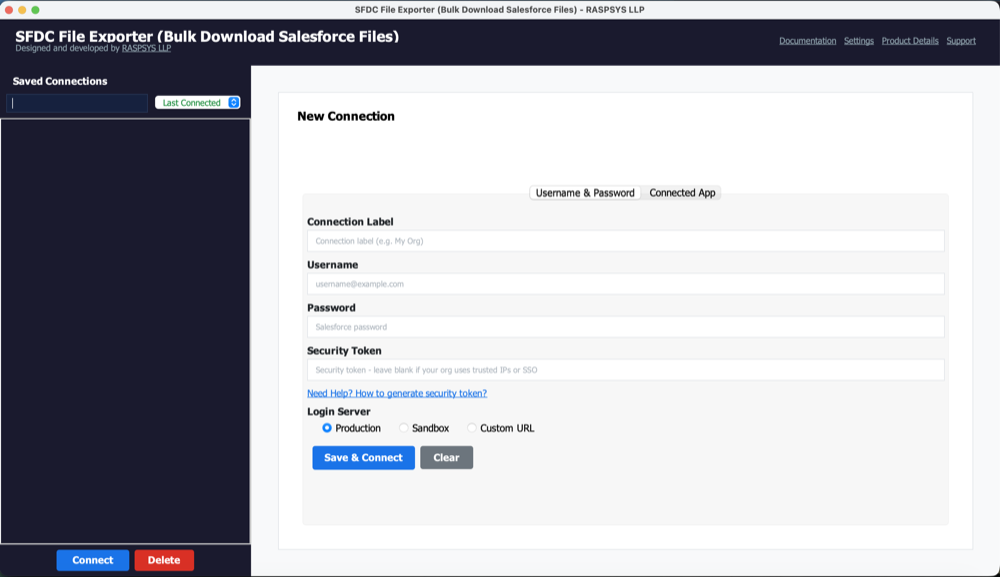
Export unlimited files, attachments, and documents from Salesforce in their original formats - with full automation support.
Native Salesforce export capabilities are limited when it comes to bulk file extraction. SFDC File Exporter fills this gap: it lets you export thousands of attachments, files, documents, and static resources in one operation, preserving original formats and folder structures.
- Export unlimited attachments and files in a single operation
- Use SOQL queries or CSV input to target specific records
- Schedule automated exports for recurring backup workflows
- All processing done locally - no data leaves your machine to external servers
- Supports PDFs, images, spreadsheets, text documents, and more
- Ideal for data migration, disaster recovery, and compliance audits
Key Use Cases
- ✅Migrating from Salesforce to a new platform
- ✅Creating regular backup archives
- ✅Compliance and regulatory audits requiring file extraction
- ✅Disaster recovery preparation
- ✅Bulk downloading client documents for offline review
SFDC File Manager
A native Salesforce application for comprehensive file reporting and bulk downloads - available under a paid licence.
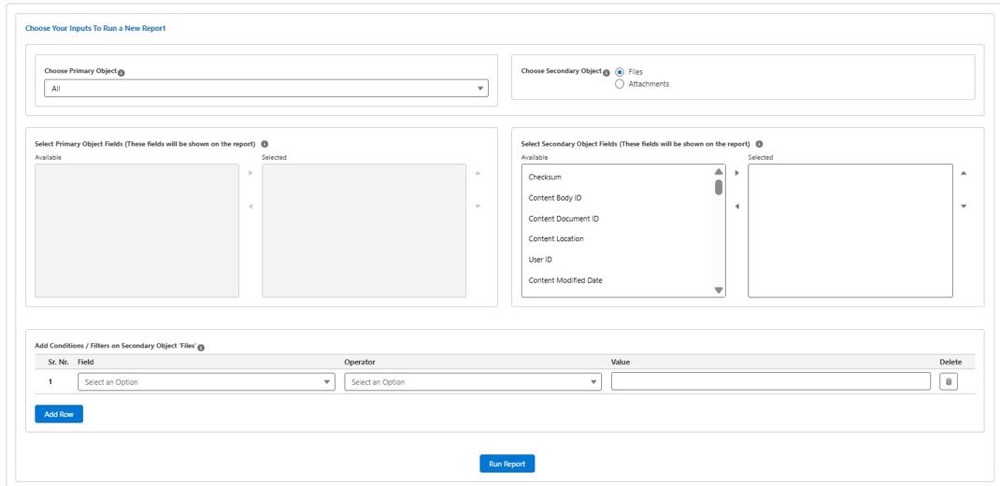
SFDC File Manager runs entirely within Salesforce, giving you a complete view of all files, attachments, and documents across your org. Report on storage usage, identify records missing attachments, filter by file type, and download files in bulk - all without any data leaving Salesforce.
- Report on all files, attachments, and objects across the org
- Identify accounts or records with no attachments
- Bulk download filtered by file type, date, or object
- Save and export reports as CSV for compliance records
- 100% Salesforce-native - your data never leaves the platform
- Handles large data volumes efficiently
Key Use Cases
- ✅File storage audits and Salesforce storage cost reduction
- ✅Compliance reporting on document completeness
- ✅Identifying accounts lacking required documentation
- ✅Bulk downloading records before archiving
- ✅Data governance and file inventory management
FTP Folder Sync Manager
Automatically sync local folders to FTP and FTPS servers on any schedule — no manual transfers, no missed backups.
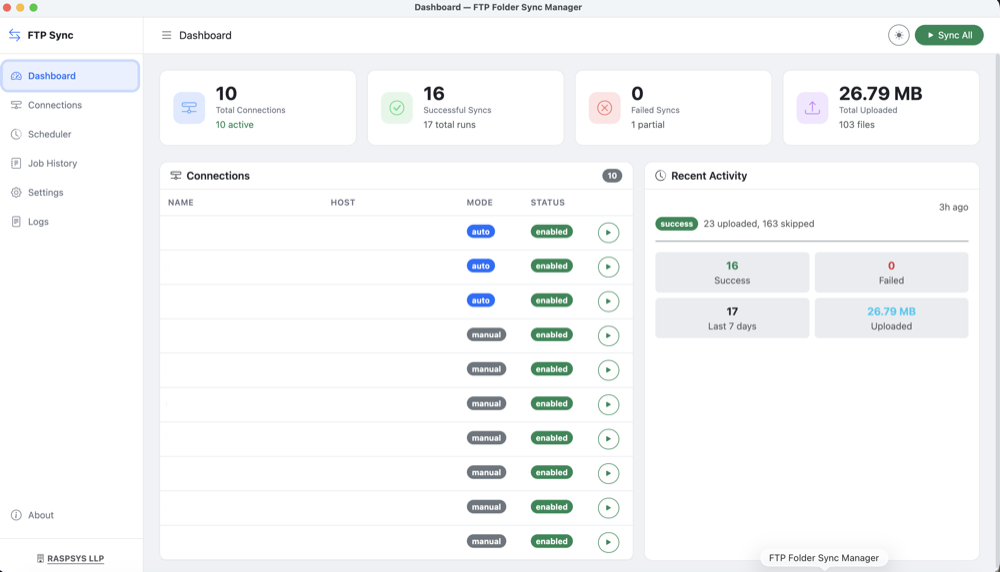
Built for developers, sysadmins, and anyone who needs reliable automated file syncing to an FTP server. Set a cron-style schedule, point it at your folders, and it handles the rest — with parallel uploads, AES-256 encrypted credential storage, a full job history, and email alerts when something goes wrong.
- Cron-style scheduling — run syncs hourly, daily, or on any custom interval
- Parallel uploads for faster sync of large folder trees
- AES-256 encrypted credential storage — no plaintext passwords
- Supports FTP and FTPS servers
- Built-in job history and email alerts on failure
- Runs on Windows, macOS, and Linux
Key Use Cases
- ✅Automated nightly backups to a remote FTP server
- ✅Syncing build artifacts or deployment files to a staging server
- ✅Keeping remote and local folders in sync automatically
- ✅Replacing manual FTP uploads in any recurring workflow
- ✅Disaster recovery and off-site file archiving
Questions About Our Products?
Our team can walk you through both products and help identify the right fit for your Salesforce environment.